
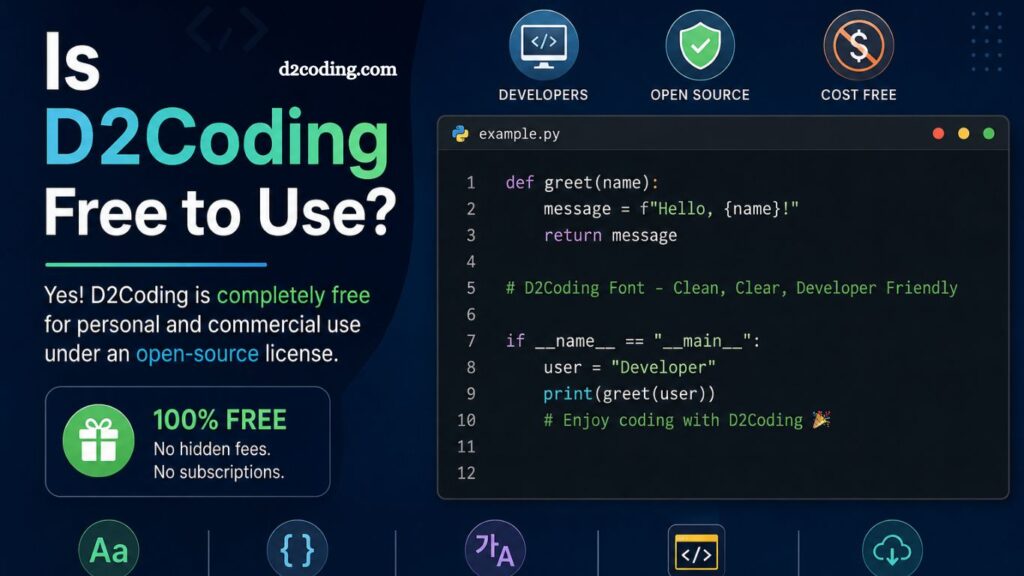
Developers, designers, and programmers constantly search for clean and readable coding fonts that improve productivity and reduce eye strain. Among many popular options, D2Coding has gained strong attention for its elegant design and developer-friendly appearance. Many users, especially beginners, often ask one important question: Is D2Coding free to use?
yes. D2Coding is completely free for personal and commercial use. However, understanding its license, features, benefits, and usage rights can help users make better decisions before downloading and installing the font.
This guide explains everything about D2Coding, including licensing, features, installation, advantages, and why developers prefer it over other coding fonts.
What Is D2Coding?
D2Coding is a programming font designed specifically for developers. Korean developers widely use this font because it offers excellent readability for both English and Korean characters. Clean spacing, sharp symbols, and balanced character widths make coding easier during long programming sessions.
Unlike decorative fonts, D2Coding focuses on clarity and coding efficiency. Many programmers use it in popular code editors such as:
- Visual Studio Code
- Sublime Text
- IntelliJ IDEA
- Atom
- PyCharm
- Eclipse
Monospaced font helps developers quickly identify symbols, brackets, and other characters while reducing confusion during coding tasks.
Read More: D2Coding Explained: Everything You Need to Know
Is D2Coding Really Free?
Yes, D2Coding is fully free to use. Developers can download, install, modify, and use the font without paying licensing fees.
D2Coding operates under an open-source license, making it accessible for:
- Personal projects
- Commercial projects
- Educational purposes
- Software development
- Website development
- Coding environments
Many developers appreciate open-source fonts because they eliminate legal concerns associated with commercial use.
D2Coding License Explained
Open-source licensing gives users flexibility and freedom. D2Coding allows users to:
- Install the font on unlimited devices
- Use the font in coding editors
- Include the font in software projects
- Modify font files if necessary
- Share the font with others
Commercial developers and software companies can also use D2Coding without purchasing expensive font licenses.
Still, users should always review the official license documentation before redistribution or modification for large-scale projects.
Why Developers Prefer D2Coding
Several reasons explain why D2Coding has become popular among programmers worldwide.
Excellent Readability
Readable fonts improve coding speed and reduce mistakes. D2Coding provides clean character spacing and sharp letter design, helping developers distinguish similar characters.
Characters such as:
- 0 and O
- 1 and l
- { } and [ ]
appear clearly separated, reducing coding errors.
Optimized for Long Coding Sessions
Programmers often spend hours staring at code editors. Poor fonts can increase eye strain and fatigue. D2Coding offers balanced spacing and smooth rendering, making long coding sessions more comfortable.
Korean and English Support
Many coding fonts focus mainly on English characters. D2Coding handles Korean text exceptionally well while maintaining readability in code.
This feature makes it highly valuable for bilingual developers.
Monospaced Design
Every character occupies equal width. This monospaced structure keeps code alignment organized and easier to debug.
Proper alignment improves readability in:
- Python
- JavaScript
- Java
- C++
- HTML
- CSS
and many other programming languages.
Key Features of D2Coding
D2Coding includes several features that improve developer experience.
Ligature Support
Some versions support ligatures that combine coding symbols into cleaner visual representations.
Examples include:
=>
!=
Ligatures create a modern coding appearance and improve visual flow.
Lightweight Performance
D2Coding runs smoothly on most operating systems without affecting editor performance.
High Resolution Rendering
Sharp rendering works well on both standard and high-resolution displays.
Free Open-Source Access
Open-source availability encourages community contributions and widespread adoption.
How to Download D2Coding
Downloading D2Coding is simple and fast.
Users can find the font through official repositories and developer communities. Installation packages usually include:
- Regular version
- Bold version
- Ligature version
- Multiple file formats
Always download fonts from trusted sources to avoid corrupted or modified files.
How to Install D2Coding on Windows
Installing D2Coding on Windows takes only a few steps.
Step 1: Download Font Files
Download the latest D2Coding package.
Step 2: Extract ZIP File
Extract downloaded files into a folder.
Step 3: Install Font
Right-click the font file and select “Install.”
Step 4: Open Code Editor
Restart your editor and select D2Coding from font settings.
Installation completes within minutes.
How to Install D2Coding on macOS
macOS users can install D2Coding easily.
Step 1: Download Font
Save the font package to your device.
Step 2: Open Font Book
Double-click the font file.
Step 3: Install Font
Press “Install Font.”
Step 4: Configure Editor
Select D2Coding inside your preferred coding editor.
How to Install D2Coding on Linux
Linux developers can also quickly install D2Coding.
Step 1: Download Font
Download the package.
Step 2: Move Font Files
Copy font files into the local fonts directory.
Step 3: Refresh Font Cache
Please run the font cache refresh commands in the terminal.
Step 4: Activate Font
Choose D2Coding inside your code editor.
Best Editors for D2Coding
D2Coding works exceptionally well in several popular editors.
Visual Studio Code
VS Code users often choose D2Coding because of its readability and modern appearance.
IntelliJ IDEA
Java developers appreciate D2Coding’s clean alignment and sharp rendering.
Sublime Text
Minimalist interface pairs nicely with D2Coding.
PyCharm
Python developers benefit from readable indentation and character clarity.
Atom
D2Coding improves visual consistency in Atom’s customizable environment.
D2Coding vs Other Coding Fonts
Many developers compare D2Coding with other programming fonts.
D2Coding vs Fira Code
Fira Code focuses heavily on ligatures, while D2Coding emphasizes readability and simplicity.
D2Coding vs JetBrains Mono
JetBrains Mono offers modern aesthetics, but D2Coding provides better support for Korean characters.
D2Coding vs Consolas
Consolas comes pre-installed on Windows, but D2Coding feels more modern and visually balanced.
D2Coding vs Source Code Pro
Source Code Pro remains highly readable, though D2Coding delivers excellent multilingual support.
Advantages of Using D2Coding
Several practical benefits make D2Coding a strong option for developers.
Reduced Eye Fatigue
Comfortable character spacing decreases visual stress.
Better Coding Accuracy
Clear symbol differentiation reduces syntax mistakes.
Professional Appearance
Modern design creates cleaner editor visuals.
Completely Free
No subscription fees or hidden costs exist.
Open-Source Community
Community contributions help improve future versions.
Possible Limitations of D2Coding
Despite many strengths, D2Coding may not fit every user preference.
Limited Decorative Styling
Minimalist design focuses more on functionality than aesthetics.
Ligature Preferences
Some developers dislike coding ligatures and may prefer simpler font rendering.
Regional Popularity
Many Western developers remain more familiar with fonts like Fira Code or JetBrains Mono.
Still, D2Coding continues to gain popularity internationally.
Is D2Coding Safe to Use?
Yes, D2Coding is generally safe when downloaded from trusted sources.
Developers should avoid unofficial websites that may distribute altered files. Safe sources include:
- Official repositories
- Trusted developer platforms
- Recognized open-source communities
Running antivirus scans after downloads also improves security practices.
Can Businesses Use D2Coding?
Businesses can freely use D2Coding in commercial projects.
Software companies, startups, educational platforms, and web developers often integrate open-source fonts into development workflows without additional licensing costs.
Commercial usage typically includes:
- Application development
- Internal software tools
- Web applications
- Coding tutorials
- Educational materials
Open-source licensing removes many legal restrictions common with premium fonts.
Does D2Coding Support Multiple Languages?
Yes, D2Coding supports both English and Korean characters effectively.
Many multilingual developers choose D2Coding because mixed-language code comments remain highly readable.
This feature becomes especially valuable for:
- International teams
- Korean developers
- Educational projects
- Documentation-heavy codebases
Tips for a Better Coding Experience with D2Coding
Several adjustments can improve overall coding comfort.
Use Proper Font Size
Most developers prefer sizes between 12 and 16.
Enable Font Smoothing
Smoother rendering improves the appearance of text on high-resolution monitors.
Pair with Dark Themes
Dark editor themes, combined with D2Coding, further reduce eye strain.
Customize Line Height
Balanced line spacing improves readability in large files.
Frequently Asked Questions
Is D2Coding free to use?
Yes, D2Coding is completely free for both personal and commercial use under an open-source license.
Can I use D2Coding for commercial projects?
Yes, you can safely use D2Coding in commercial software, websites, and business applications without licensing fees.
Is D2Coding an open-source font?
Yes, D2Coding is an open-source programming font, allowing free use, sharing, and modification based on its license terms.
Where can I download D2Coding safely?
You can download D2Coding from trusted official repositories or well-known developer platforms to ensure file safety.
Does D2Coding support English and Korean?
Yes, D2Coding supports both English and Korean characters, making it popular among bilingual developers.
Is D2Coding good for programming?
Yes, D2Coding is designed for coding with clear spacing, monospaced layout, and excellent readability for long sessions.
Does D2Coding work in Visual Studio Code and other editors?
Yes, D2Coding works smoothly in popular code editors like Visual Studio Code, IntelliJ IDEA, Sublime Text, and others.
Conclusion
D2Coding is a free, open-source programming font designed to improve readability and coding efficiency. Its clean monospaced structure, strong support for English and Korean characters, and comfortable visual design make it a practical choice for developers across different experience levels. With no licensing costs for personal or commercial use, it offers flexibility for individuals, students, and businesses alike.