
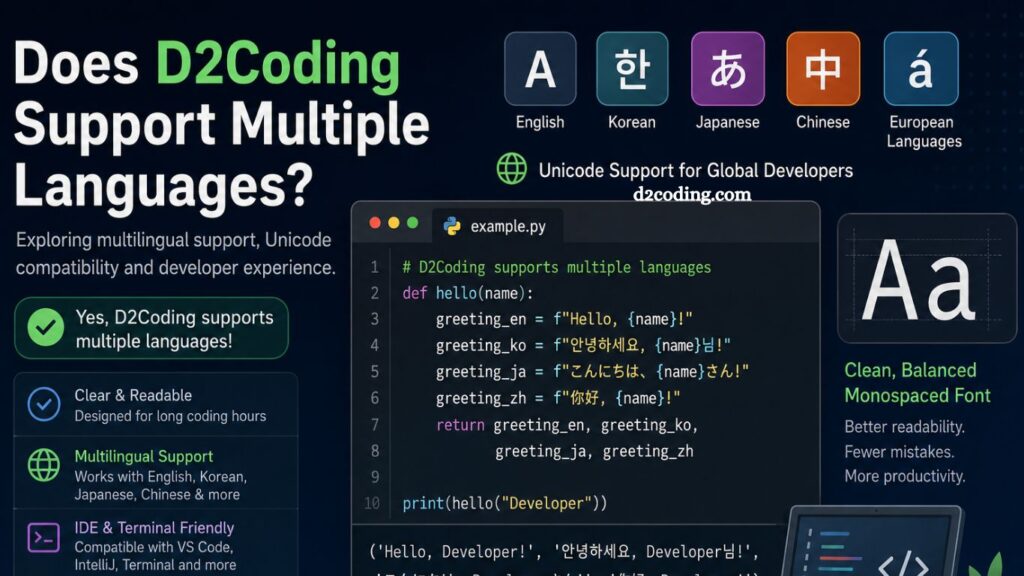
Developers spend countless hours staring at code editors, terminals, and IDEs. Fonts play a major role in readability, comfort, and productivity during those long coding sessions. Among popular programming fonts, D2Coding has gained strong attention because of its clean appearance and excellent readability. Many programmers, especially developers working with Asian languages, often ask one important question: Does D2Coding support multiple languages?
yes. D2Coding supports multiple languages and character sets, making it a practical option for global developers. However, understanding its language compatibility, Unicode coverage, and real-world usage helps users decide whether it fits their workflow.
This article explains everything about D2Coding multilingual support, compatibility, advantages, limitations, and best use cases.
Understanding D2Coding Font
D2Coding is a monospaced coding font created by NAVER Corporation. Developers designed it specifically for programming environments where readability and character distinction matter.
Unlike many traditional programming fonts, D2Coding places a heavy emphasis on clean spacing and visual clarity. Developers can easily distinguish confusing characters such as:
- Zero (0) and capital O
- Lowercase l and number 1
- Parentheses and brackets
- Symbols used in coding syntax
Programmers working in multilingual environments appreciate D2Coding because it handles both English and Korean characters smoothly without breaking alignment.
Read More: Best Code Editors Supporting D2Coding Font
Does D2Coding Support Multiple Languages?
Yes, D2Coding supports multiple languages through Unicode character coverage. Users can display multiple language scripts in editors, terminals, and development environments without major rendering issues.
Language support includes:
- English
- Korean
- Japanese
- Chinese
- Latin-based European languages
- Symbols and coding characters
This broad compatibility makes D2Coding highly valuable for international development teams and multilingual coding projects.
Unicode Support in D2Coding
Unicode compatibility determines whether a font can display different languages correctly. D2Coding includes Unicode support for many commonly used scripts.
Unicode support helps developers:
- Read multilingual documentation
- Write comments in native languages
- Display non-English text inside source code
- Handle localized applications
- Maintain readability across operating systems
Modern developers rarely work in English-only environments. Software products target global audiences, which increases the need for multilingual font compatibility.
D2Coding addresses this requirement effectively.
Korean Language Support
Korean language support remains one of D2Coding’s strongest features. Since NAVER Corporation created the font, Korean rendering receives significant optimization.
Benefits for Korean developers include:
- Clear Hangul display
- Balanced character spacing
- Improved readability in IDEs
- Better alignment with the English text
- Comfortable long-session viewing
Many Korean developers prefer D2Coding because most international coding fonts fail to maintain visual harmony between English and Korean characters.
D2Coding solves this issue successfully.
Japanese and Chinese Character Compatibility
D2Coding also supports Japanese and Chinese characters, although coverage may vary depending on specific glyph requirements.
Developers working with:
- Japanese localization
- Chinese applications
- Asian-language comments
- International software interfaces
can display many characters correctly within supported environments.
However, users handling advanced Chinese or Japanese typography may occasionally need fallback fonts because certain rare characters may not appear perfectly.
Still, standard multilingual development tasks work well in most coding situations.
English Language Optimization
English remains the primary programming language worldwide. D2Coding delivers excellent readability in English through carefully designed monospaced characters.
Advantages include:
- Consistent spacing
- Easy symbol recognition
- Reduced eye strain
- Better code scanning speed
- Improved terminal readability
Developers working with Python, JavaScript, Java, C++, and other languages often choose D2Coding because symbols remain highly distinguishable.
This improves debugging speed and reduces coding mistakes.
Why Multilingual Font Support Matters
Modern software development involves global collaboration. Teams frequently combine multiple languages inside projects, documentation, databases, and user interfaces.
Multilingual font support becomes essential for:
International Teams
Global companies employ developers from different countries. Team members often write comments, commit messages, or documentation using native languages.
Localization Projects
Applications targeting international users require multilingual text support during development and testing.
Database Management
Databases frequently contain Unicode text from different languages. Developers need fonts that can display all records correctly.
Educational Environments
Programming students worldwide prefer reading notes and explanations in their native language while coding in English.
D2Coding helps bridge these multilingual development requirements.
IDE Compatibility for Multiple Languages
D2Coding works smoothly across major IDEs and code editors.
Popular compatible platforms include:
- Visual Studio Code
- IntelliJ IDEA
- PyCharm
- Android Studio
- Sublime Text
- Atom
- Vim
- Emacs
Users can enable D2Coding inside font settings and immediately benefit from multilingual rendering.
Most modern editors already support Unicode, which improves overall compatibility.
Terminal and Console Support
Terminal readability matters greatly for backend developers, DevOps engineers, and Linux users.
D2Coding performs well in:
- Windows Terminal
- iTerm2
- macOS Terminal
- Linux terminal emulators
- PowerShell
- Command Prompt
Unicode compatibility enables developers to display multilingual output directly in command-line environments.
This feature becomes especially useful when managing international databases or multilingual application logs.
Web Development and Multilingual Content
Front-end developers frequently test multilingual websites and applications.
D2Coding helps web developers by displaying:
- UTF-8 content
- HTML entities
- Multilingual JSON data
- API responses
- Localized UI elements
Developers can easily inspect multilingual structures without visual confusion.
This improves productivity during debugging and testing.
Benefits of Using D2Coding for Multiple Languages
Several advantages make D2Coding popular among multilingual developers.
Improved Readability
Clear spacing and balanced character design reduce visual clutter.
Better Character Distinction
Symbols and letters remain easy to recognize across languages.
Comfortable Long-Term Usage
Developers spend many hours coding daily. D2Coding reduces eye fatigue through cleaner rendering.
Professional Appearance
Code screenshots, tutorials, and presentations look more polished with consistent typography.
Cross-Platform Consistency
D2Coding maintains a similar appearance across Windows, macOS, and Linux environments.
Potential Limitations of D2Coding
Despite strong multilingual support, D2Coding still has some limitations.
Limited Rare Character Coverage
Certain uncommon Unicode characters may not render perfectly.
Less Artistic Styling
Developers who prefer decorative programming fonts may find D2Coding simpler to read.
Advanced Typography Restrictions
Complex multilingual publishing tasks may require specialized fonts instead.
However, these limitations rarely affect standard programming workflows.
Comparing D2Coding with Other Programming Fonts
Many developers compare D2Coding against other coding fonts.
Popular alternatives include:
- Fira Code
- JetBrains Mono
- Cascadia Code
- Source Code Pro
- Consolas
D2Coding stands out because of its excellent Korean compatibility and balanced multilingual rendering.
While fonts like Fira Code emphasize ligatures, D2Coding prioritizes readability and multilingual usability.
Does D2Coding Support Ligatures?
Standard versions of D2Coding prioritize readability over advanced ligatures.
Some developers prefer ligature-enabled fonts because they combine symbols visually. Examples include:
=>
!=
D2Coding generally maintains traditional monospaced formatting rather than using heavily stylized ligatures.
This approach improves consistency for many programmers.
Best Use Cases for D2Coding
D2Coding works particularly well for:
Korean Developers
Native Hangul optimization makes it highly comfortable for Korean coding environments.
Multilingual Projects
Projects involving Unicode text benefit greatly from balanced multilingual rendering.
Backend Development
Terminal-heavy workflows become easier to manage.
Educational Coding
Students reading bilingual coding materials experience better readability.
Open Source Collaboration
Global contributors using multiple languages can work more comfortably.
Installation and Setup
Installing D2Coding remains simple across operating systems.
Windows
- Download font files
- Install through the system font manager
- Select the inside editor settings
macOS
- Open Font Book
- Add D2Coding font
- Configure IDE preferences
Linux
- Copy font files into font directories
- Refresh font cache
- Activate inside development tools
Most editors detect the font automatically after installation.
Tips for Better Multilingual Coding Experience
Developers can improve readability further with proper configuration.
Use UTF-8 Encoding
UTF-8 ensures multilingual characters display correctly.
Adjust Font Size
Slightly larger font sizes improve the visibility of Asian characters.
Enable Proper Line Height
Additional spacing helps readability during long coding sessions.
Combine with Dark Themes
Dark IDE themes often improve visual comfort with D2Coding.
Community Popularity
D2Coding has built a loyal developer community, especially across Asian programming circles.
Users appreciate:
- Free availability
- Open accessibility
- Stable rendering
- Excellent Hangul support
- Reliable Unicode handling
Many programming forums recommend D2Coding for multilingual development environments.
Frequently Asked Questions
Does D2Coding support multiple languages?
Yes, D2Coding supports multiple languages through Unicode compatibility, including English, Korean, Japanese, Chinese, and many European languages.
Is D2Coding good for Korean developers?
Yes, D2Coding was designed with strong Hangul optimization, making it highly popular among Korean programmers and developers.
Can D2Coding display Japanese and Chinese characters?
Yes, D2Coding supports many Japanese and Chinese characters, although some rare Unicode glyphs may require fallback fonts.
Does D2Coding work with Visual Studio Code?
Yes, D2Coding works smoothly with Visual Studio Code, IntelliJ IDEA, PyCharm, Sublime Text, and other major IDEs.
Is D2Coding free to use?
Yes, D2Coding is free for personal and professional programming use.
Does D2Coding support coding ligatures?
Standard D2Coding versions focus more on readability and clean, monospaced formatting than on advanced ligatures.
Why do developers choose D2Coding?
Developers prefer D2Coding because of its readability, multilingual support, clean spacing, Unicode compatibility, and comfortable coding experience.
Conclusion
D2Coding delivers strong multilingual support, making it an excellent choice for modern developers working in global coding environments. Its Unicode compatibility, clean character spacing, and optimized readability help programmers handle English, Korean, Japanese, Chinese, and other supported languages with ease. Whether used in IDEs, terminals, or multilingual development projects, D2Coding delivers a professional, comfortable coding experience.